How do I update my address?
You can update your address online via My Account.
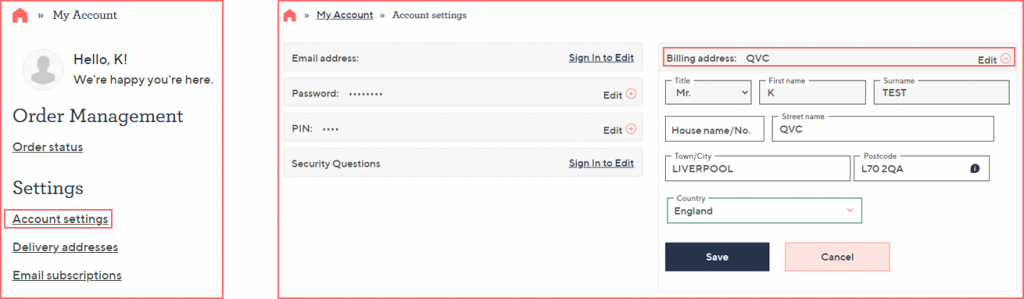
Under Settings, click on ‘Account settings’, you can then view your current billing address and choose to ‘edit’ if needed. Be sure to select ‘Save’ once you have entered the new details.
You can also view and edit the delivery addresses on your account, you can view the full guide here.